How to stream with OBS

Step 01: Install OBS on Desktop
Download and install the OBS app from https://obsproject.com/download.
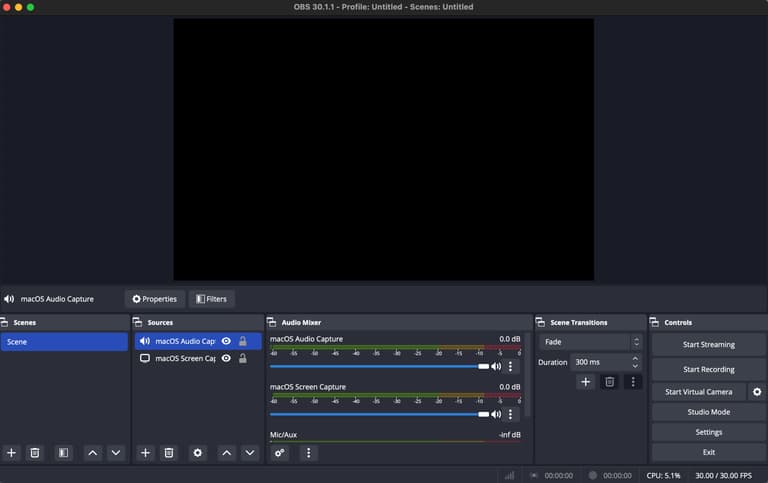
Step 02: Setup your Audio Source
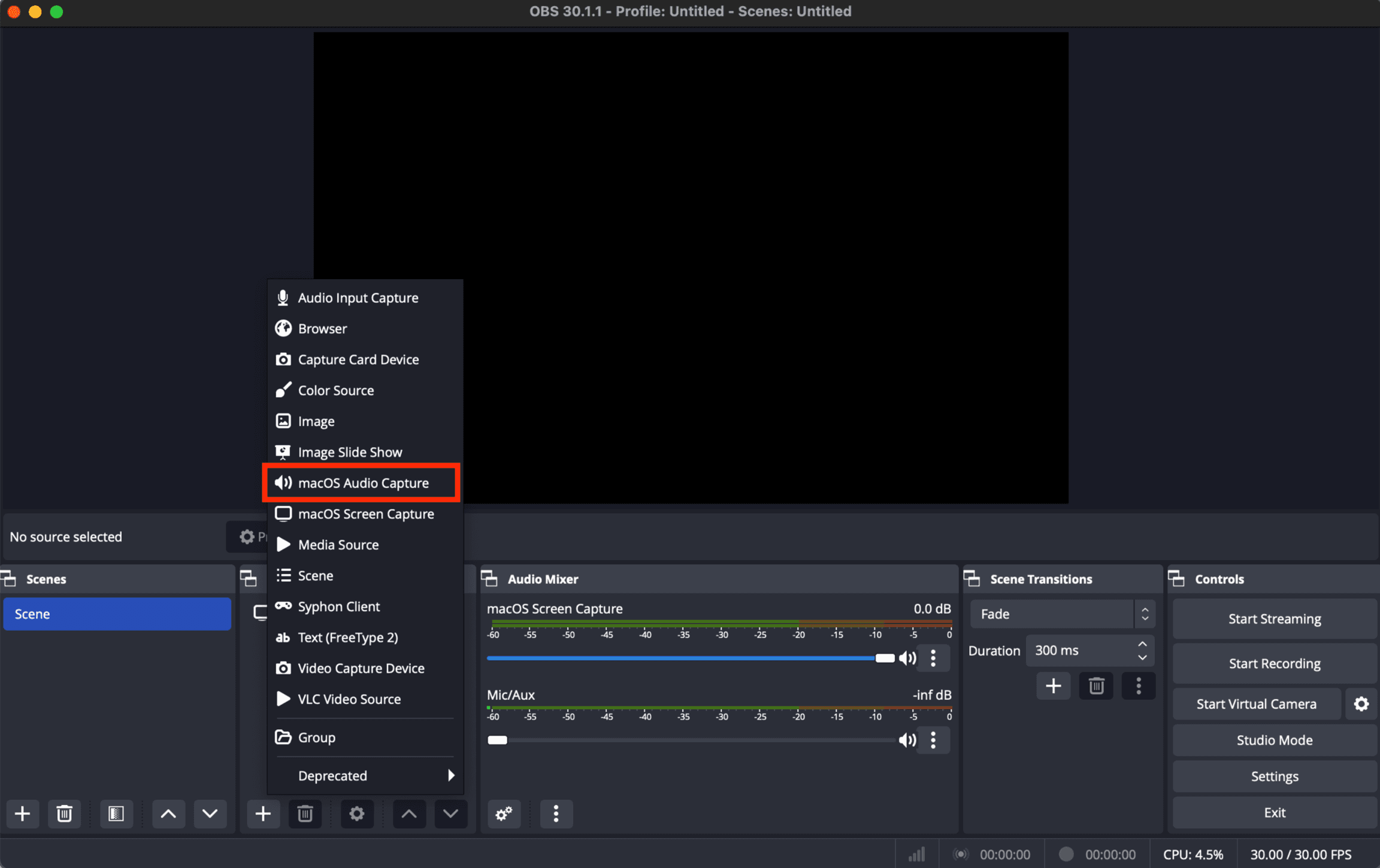
You will want to setup your Audio source by clicking the '+' icon in the Sources window. You will select the type of Source out of the options in the list.
To stream audio from another application, you can select 'macOS Audio Capture' then click 'Ok'.
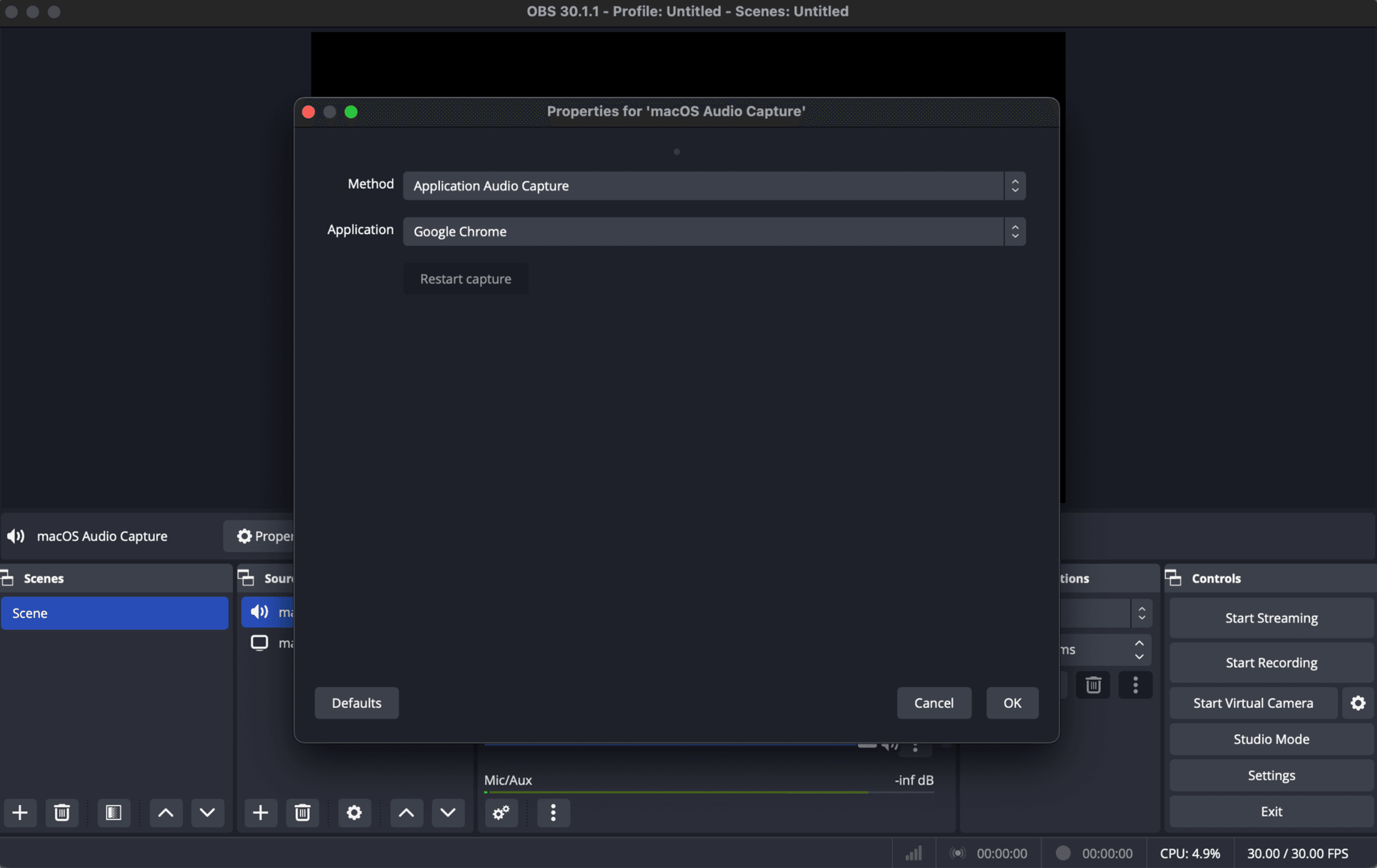
You can select 'Application Audio Capture' then select the application that you want to stream audio from.
Step 03: Link OBS to your Evenings account
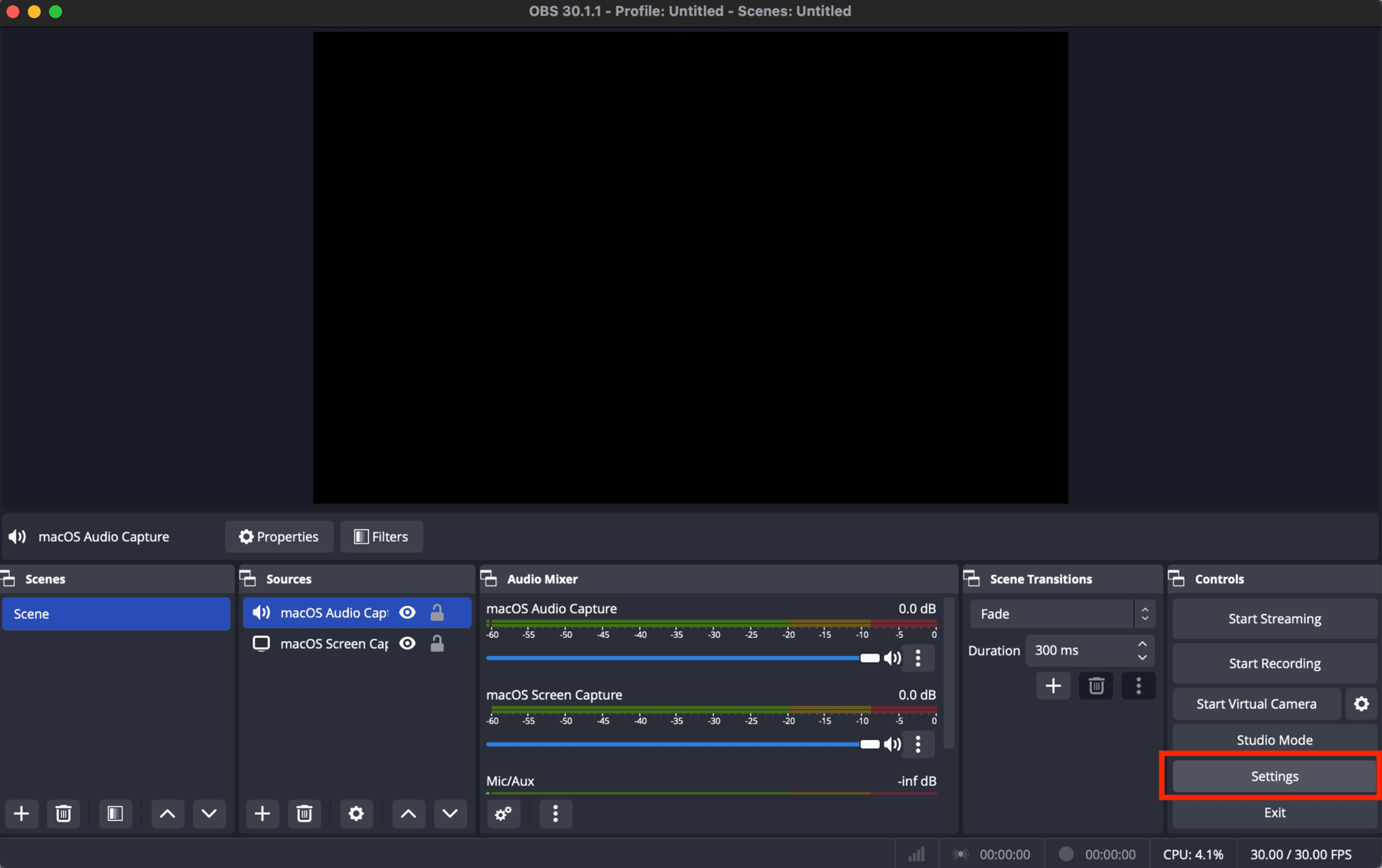
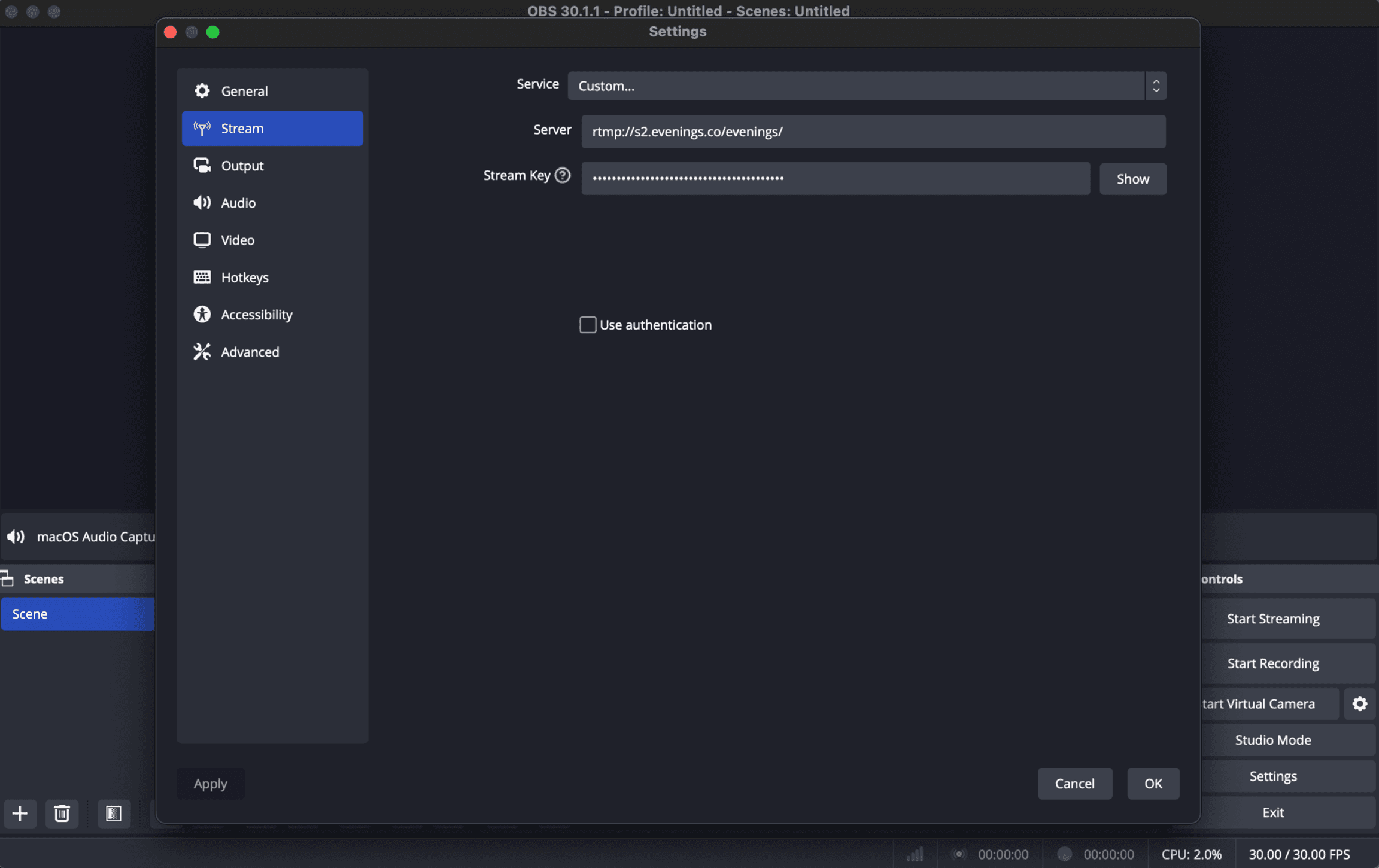
You can stream audio to Evenings by adjusting the streaming settings in OBS. Click the 'Settings' button on the lower right side.
In the Stream Settings page, you can select 'Custom' service then input the following information:
- Server:
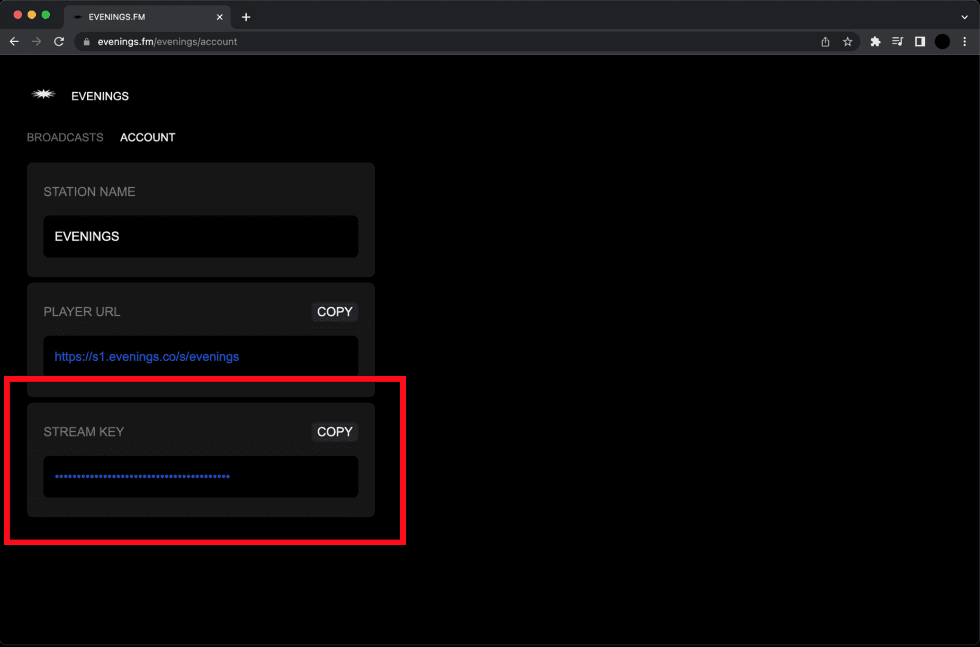
rtmp://s2.evenings.co/evenings/ - Stream Key: Enter the Stream key from the Account page on Evenings
Step 04: Running your Live Stream
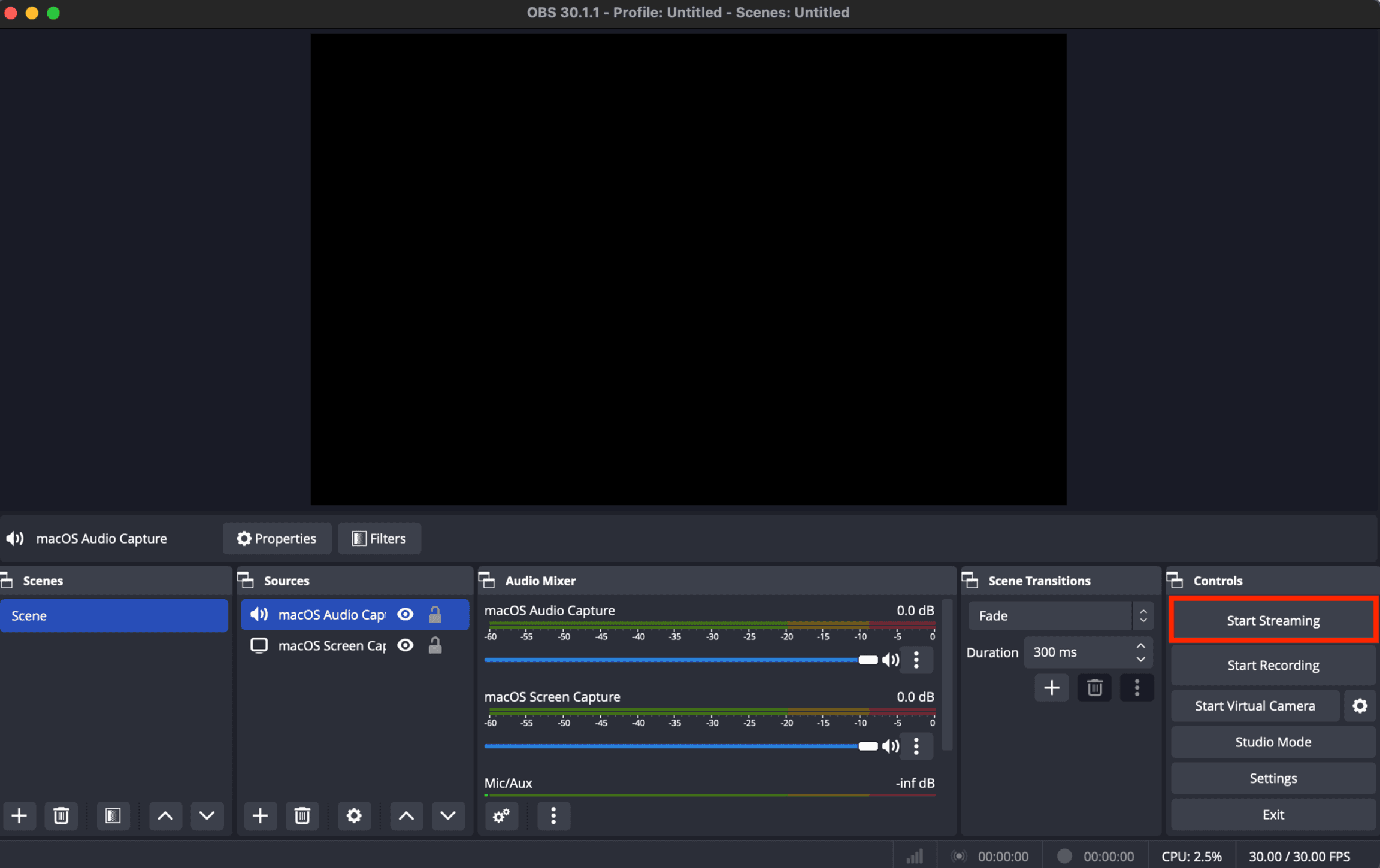
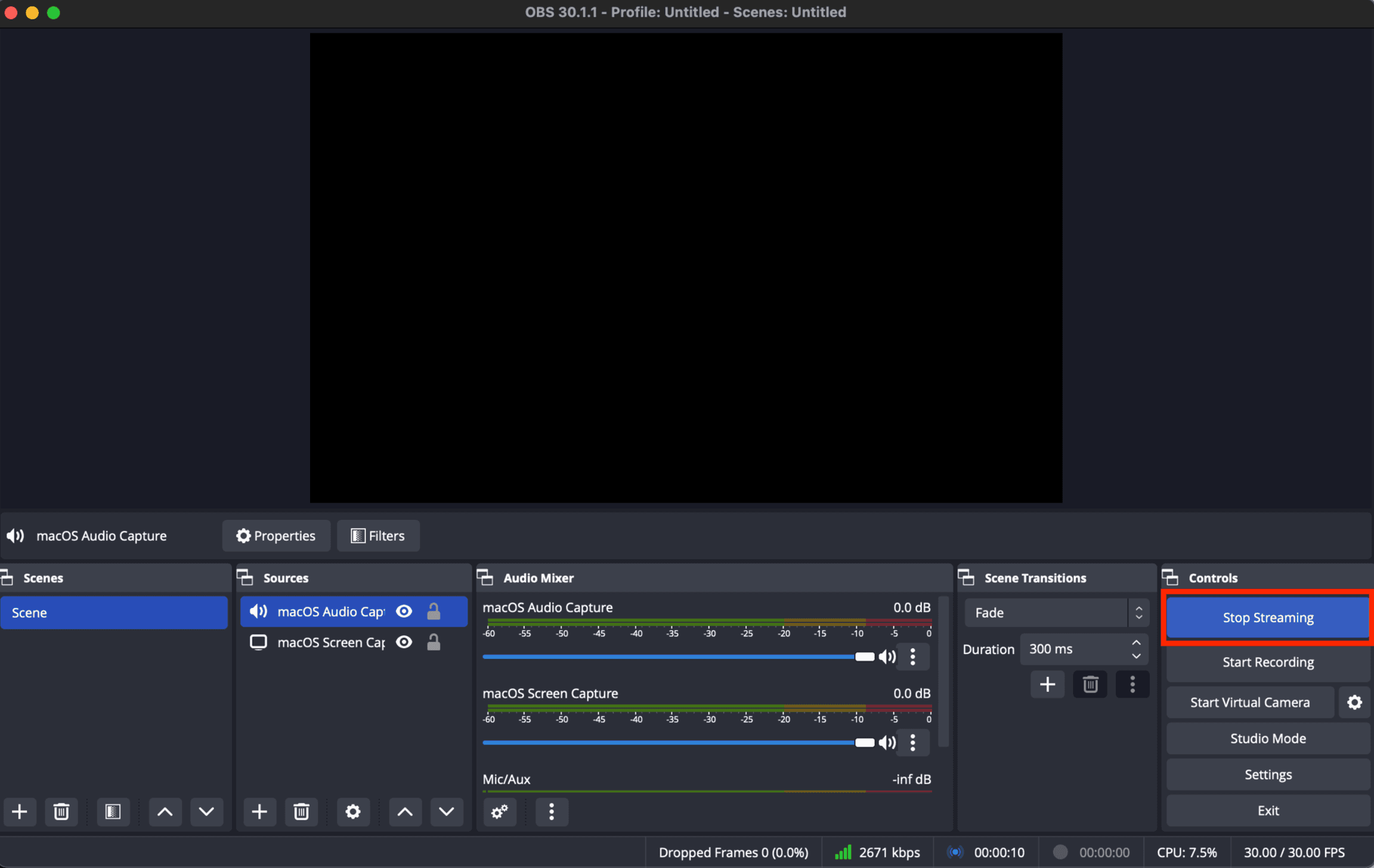
Click 'Ok' to close the pop up on OBS and select "Start Streaming" to go live, in bottom right corner of the window.
Step 05: Viewing and Archiving your Broadcast
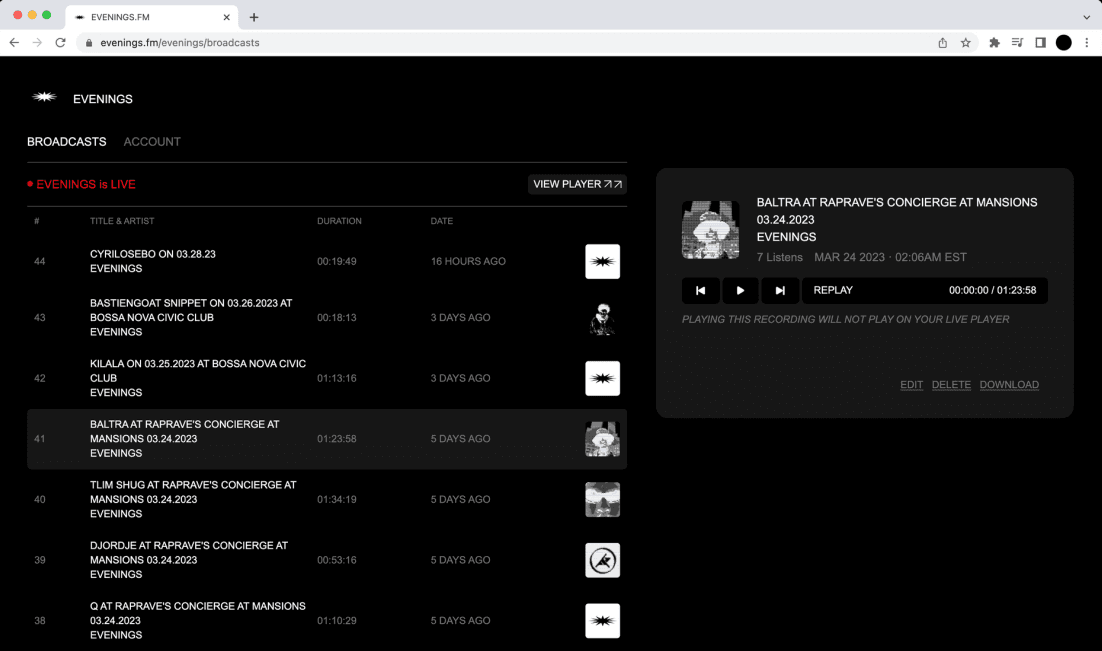
Your broadcast will be live on your LIBRARY page on Evenings. Select the “VIEW PLAYER” button to listen.
Step 06: Ending your Live Stream session
To end the livestream select 'Stop Streaming'. The livestream will be saved on your Library page.
That's it! Email contact@evenings.email with questions.