Icecast vs RTMP: what the choice means for your station

There are two ways to send a live show to Evenings from broadcasting software: Icecast and RTMP. Most stations pick one because of the app they already use and never think about it again, and that's a perfectly good way to choose. But the two protocols come from very different places, and knowing how they differ makes it easier to pick your software, set your bitrate, and know what to expect when something goes wrong.
Where Icecast comes from
Icecast started as campus radio. In late 1998, Jack Moffitt, then a student at Southern Methodist University in Dallas, wanted to get the college station to the dorms over the campus network, without a broadcast license or a new transmitter. With Barath Raghavan he built an open source streaming server that anyone could run, change and learn from, and released it in early 1999. It drew on Scott Manley's MP3 Serv, the tinkered-together Apache setup Manley had used for what he believed was the first live MP3 radio show, in November 1997.
Icecast is now maintained by the Xiph.Org Foundation, the non-profit behind Ogg, Vorbis, FLAC and, with the IETF, Opus. More than 25 years on, it still carries a lot of the world's internet radio, and a whole family of tools grew up around it.
We feel close to that story. Icecast was built by someone who wanted a station to reach more people, using what was already lying around, and shared freely so the next station wouldn't have to start from scratch. That's the radio we care about, and it's why we went back and built Icecast ingest alongside RTMP in July. If Icecast has been part of your station, consider donating to Xiph.Org.
Where RTMP comes from
RTMP, the Real-Time Messaging Protocol, comes from the opposite end of the internet. Macromedia built it as a proprietary protocol so Flash Player could stream to and from Flash Communication Server, and Adobe inherited it when it bought Macromedia. Adobe published a specification in December 2012, though it's incomplete in places.
Flash is long gone, but RTMP outlived it because it became the standard way to send a live stream to a server. Nearly every live video platform still takes RTMP, so nearly every streaming app speaks it. That's why we started with it: when we were new to all of this, RTMP had far more server examples and people to learn from.
How they differ on the wire
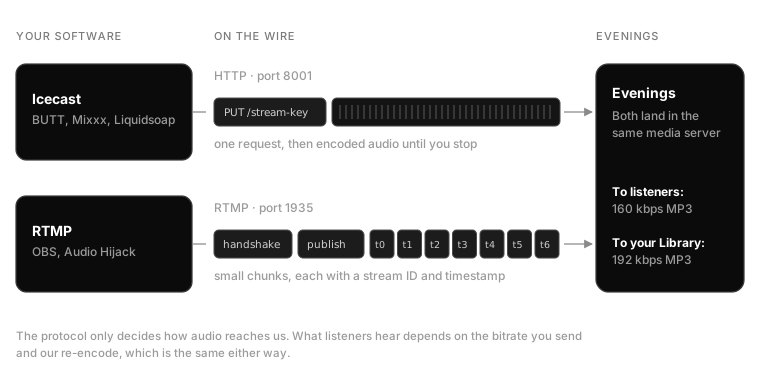
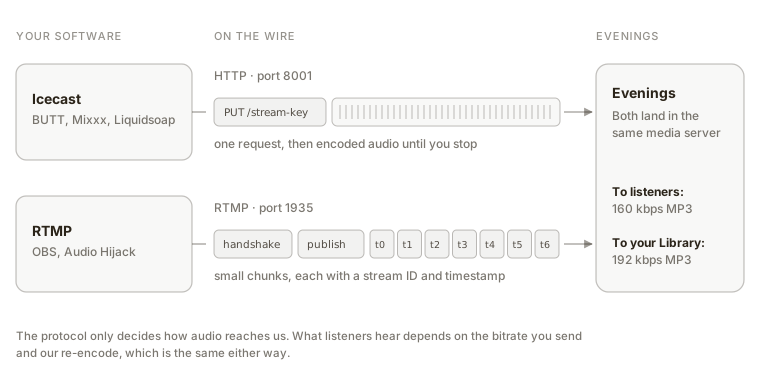
Icecast is HTTP. Your encoder opens a connection and sends one request, a PUT (or the older SOURCE verb that predates it), with a header saying what kind of audio is coming. Then it never stops sending. The body of that request is your show: already-encoded MP3, AAC or Ogg, byte after byte, for as long as you're on air. There's no framing of its own on top of the audio and no back-and-forth. On Evenings, that connection goes to port 8001, and the mountpoint carries your stream key.
RTMP is a conversation. Before any audio moves, the encoder and server swap a handshake of fixed-size messages, then negotiate the connection with commands encoded in AMF, Flash's own data format. Audio and video are then cut into small chunks, 128 bytes by default, each tagged with a stream ID and a timestamp so the server can interleave several streams over one connection and line them back up. Audio from OBS usually travels as AAC. On Evenings, it goes to port 1935 at rtmp://s2.evenings.co/evenings, with your stream key alongside.
So Icecast is a simple pipe built for audio, and RTMP is a richer container built for video that happens to carry audio well. Both run over TCP, which means a lost packet gets resent rather than skipped: on a shaky connection you'll hear a stall before you hear a glitch.
What it changes about your software
This is where the choice really matters, because each protocol opens up a different set of apps.
- Icecast: BUTT, Mixxx, Liquidsoap, darkice, the built-in broadcasting in Traktor and VirtualDJ, and a lot of hardware encoders. These come from radio and DJing, and they assume you're sending audio and nothing else.
- RTMP: OBS, Audio Hijack, Streamlabs and ffmpeg. These tend to come from live video, or from audio people building their own chains.
If you're just getting started, we'd point you to Icecast and BUTT. BUTT, written and maintained by Daniel Nöthen, is free and runs on Windows, macOS and Linux. It's one small window: choose your input, add Evenings as a server, press play. OBS is excellent and also free, but it's a video studio first, so an audio-only show means working around scenes, sources and canvas settings you won't use. When you want to mix several apps together or run effects on your mic, OBS or Audio Hijack is worth that extra setup.
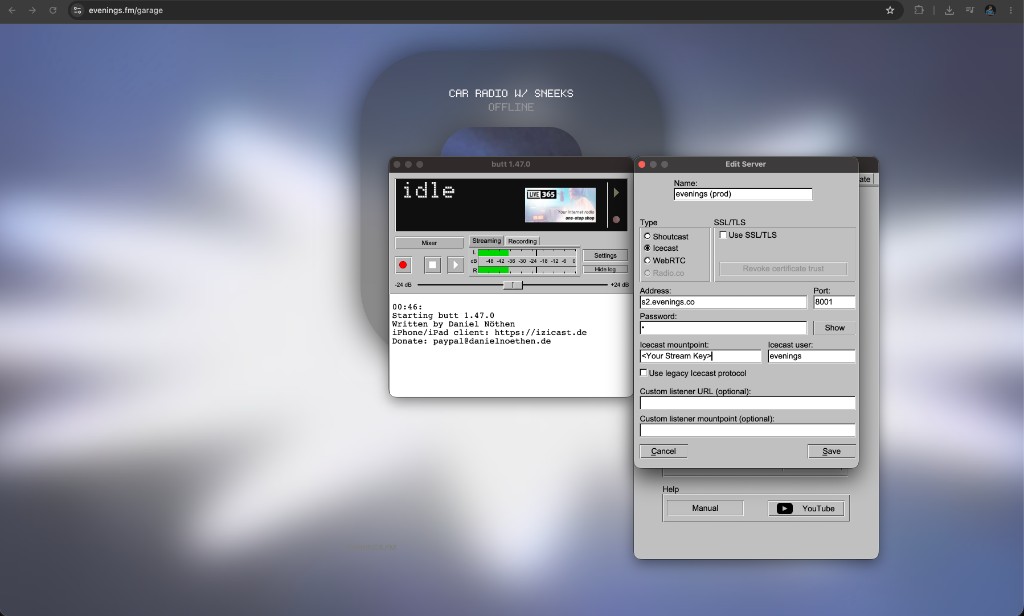
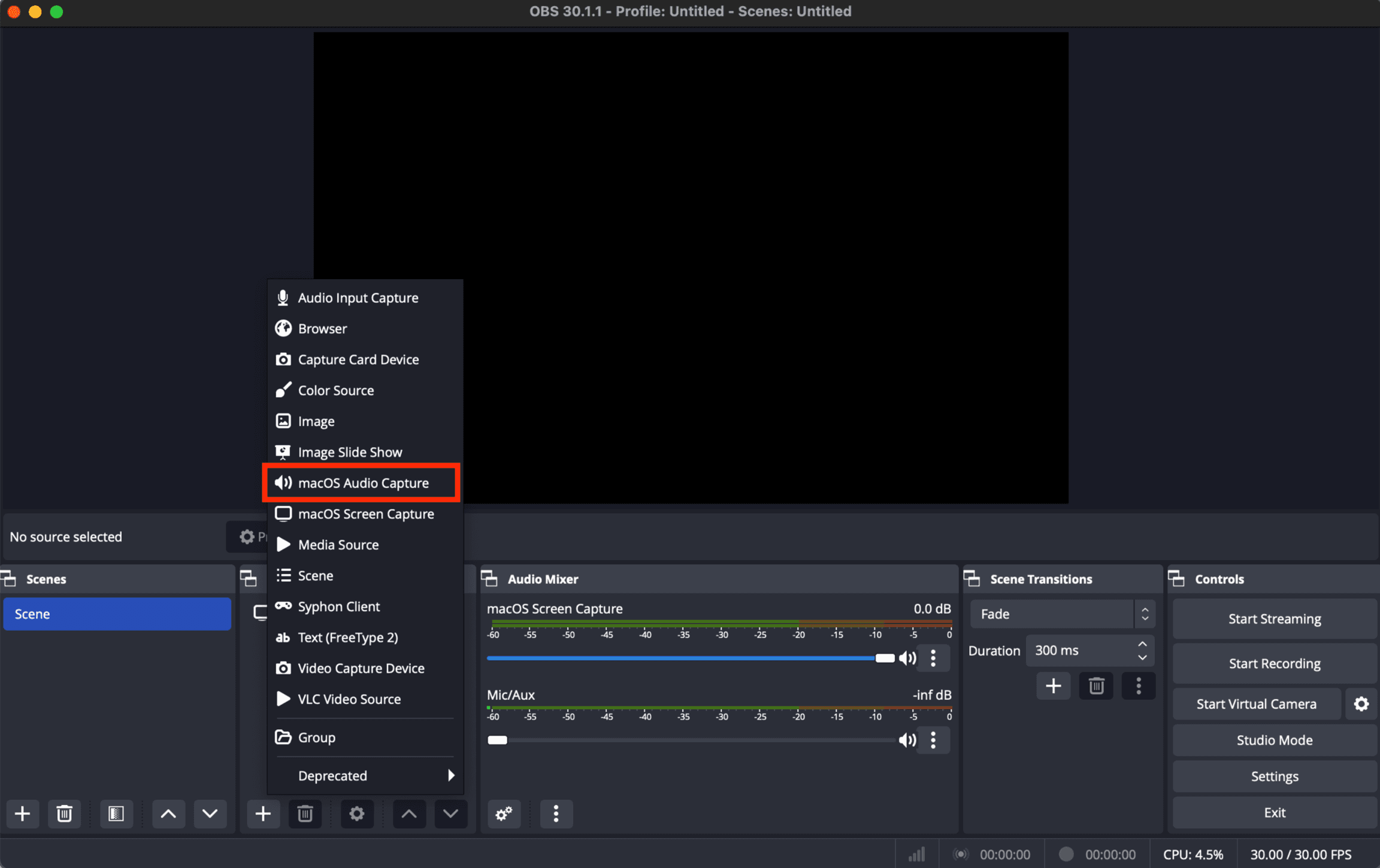
The difference shows the moment you open them. BUTT is one window and a server dialog; OBS opens on a video canvas, and your audio is one source among many.
And if you don't want to install anything yet, you can go live from your browser. That's a third path in, over a WebSocket, and it lands in the same place as the other two.
Sound quality
Neither protocol makes your show sound better or worse on its own. What decides quality is the codec and bitrate your encoder sends, and what happens to the audio next.
On Evenings, every broadcast is re-encoded on our server: listeners get 160 kbps MP3, and your recording is saved at 192 kbps MP3, whichever way you came in. Each lossy encode throws a little away, so give ours clean material to start from. Send at least 192 kbps, whether that's AAC from OBS (which defaults to 160 kbps, so raise Audio Bitrate under Settings → Output) or MP3 from BUTT, and keep your levels out of the red at the source.
Latency
The protocol isn't where most of the delay comes from. In our measurements over RTMP, audio usually reaches the listener's connection about 0.6 seconds after it leaves your encoder, and Icecast audio joins the same pipeline the moment it arrives. Most of the rest builds up at the two ends:
- Your encoder's buffer. Encoders hold back a little audio so a network hiccup doesn't cut your show. Some let you shrink that buffer, at the risk of more dropouts.
- The listener's player. A standard browser player keeps one to three seconds in reserve and never catches up. Our low-latency player guide shows how a small player brought that down to under half a second in our tests.
- The browser path. Going live from a browser tab sends audio in one-second pieces, which can add up to another second.
For a music show, none of this is noticeable. It starts to matter for call-ins and live chat, and there your listener's player is the first place to look, not the protocol.
Which one to choose
Start with the software you like using, and let the protocol follow. If you don't have a favorite yet, try BUTT over Icecast first. If you outgrow it, switching to OBS or Audio Hijack takes a few minutes, and your station, schedule and recordings stay exactly where they are.
If you've run a station on Icecast for years, whether through Liquidsoap, an old hardware encoder or something you wrote yourself, send us your setup at contact@evenings.email. We'd like to hear how it's held up, and what you'd want us to support next.