
Guides
How to stream with Liquidsoap or ffmpeg over Icecast
Updated
This guide is for stations that want to broadcast from the command line or a server: a one-line ffmpeg command for quick sends and tests, and a Liquidsoap script for automation you run yourself.
Both are free and open source. ffmpeg, maintained by the FFmpeg developers, converts and streams almost any audio or video format. Liquidsoap, from the Savonet project, is the scripting language a lot of internet radio automation is built on, including AzuraCast. Both connect to Evenings over Icecast, the same way BUTT does.
If all you want is to play tracks from your Library around the clock, you don't need either: Always On does that on our side, with nothing running on your machine.
Connection settings
Every example below uses the same settings:
| Setting | Value |
|---|---|
| Host | s2.evenings.co |
| Port | 8001 |
| Mount | your stream key |
| User and password | anything; we use evenings and x |
Copy your stream key from the Go Live page on Evenings with the Copy button next to Stream Key, and put it wherever the examples say STREAM_KEY.
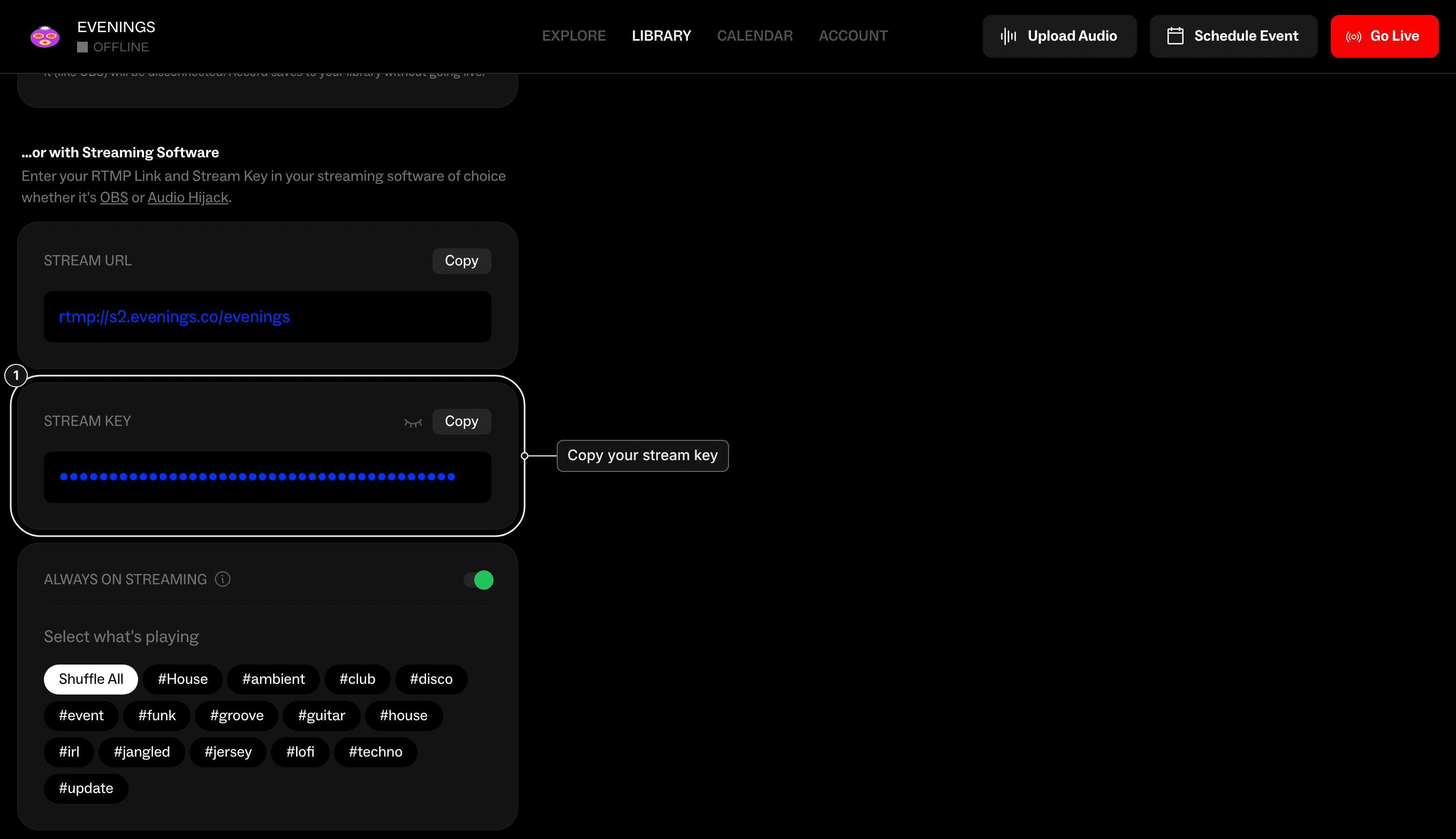
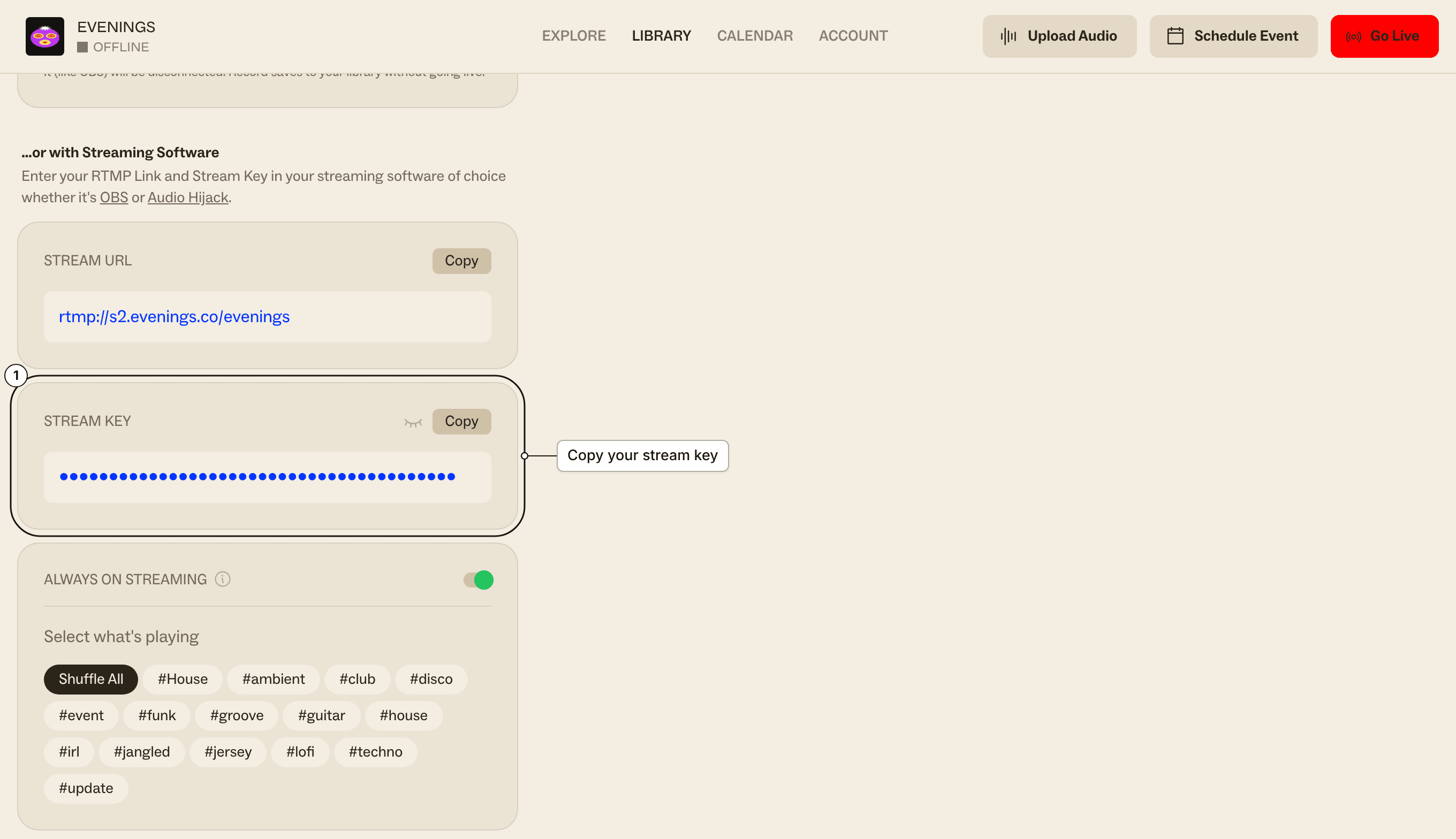
We don't check the user or password; the stream key is what tells us the broadcast is yours, so keep it out of scripts you share or commit. The connection to port 8001 isn't encrypted.
We accept MP3, Ogg Vorbis, Opus and AAC, over both Icecast's modern PUT method and the older SOURCE method. We convert every broadcast to a 160 kbps MP3 for listeners and record it as a 192 kbps MP3, so sending 192 kbps or more keeps the most detail.
ffmpeg
Send a file, playing in real time:
ffmpeg -re -i show.mp3 \
  -c:a libmp3lame -b:a 192k \
  -content_type audio/mpeg -f mp3 \
icecast://evenings:x@s2.evenings.co:8001/STREAM_KEY-rereads the file at its normal speed. Without it, ffmpeg sends the file as fast as it can, and the show ends in seconds.- Add
-stream_loop -1before-ito loop the file until you stop ffmpeg. - On Linux, replace
-re -i show.mp3with-f pulse -i defaultto send your default audio input. On macOS and Windows, ffmpeg's input device docs show how to list and pick a device (avfoundationanddshow).
To send Ogg Vorbis instead of MP3, swap the encoding options:
ffmpeg -re -i show.wav \
  -c:a libvorbis -q:a 5 \
  -content_type audio/ogg -f ogg \
  icecast://evenings:x@s2.evenings.co:8001/STREAM_KEY
ffmpeg connects with PUT by default. Add -legacy_icecast 1 to use SOURCE; both work with Evenings.
Press q or Ctrl+C to stop. The recording shows up in your Library as a track after you stop.
Liquidsoap
This script plays a folder of music in a random order and falls back to a single file if the folder is empty or a track fails, so your station never goes silent. It's based on the basic radio example in Liquidsoap's documentation and works with Liquidsoap 2.2 and later.
music    = playlist(reload_mode="watch", "/srv/music")
security = single("/srv/fallback.mp3")
radio    = fallback(track_sensitive=false, [music, security])

output.icecast(%mp3(bitrate=192),
  host="s2.evenings.co", port=8001,
  user="evenings", password="x",
  mount="STREAM_KEY",
  radio)
playlist(reload_mode="watch", ...)reloads the playlist when it changes on disk, so you don't have to restart Liquidsoap.mounttakes your stream key as it is. Liquidsoap adds the leading slash.- To send Ogg Vorbis or Opus, replace
%mp3(bitrate=192)with%vorbisor%opus(bitrate=128). - Liquidsoap connects with
SOURCEby default. You can addmethod="put"; both work with Evenings.
Run it with liquidsoap radio.liq.
How it fits with your schedule
To Evenings, a connected Liquidsoap stream is you being live, the same as any encoder. It takes over from Always On and from a prerecorded show that's already playing, and we record it into your Library.
Liquidsoap reconnects by itself 3 seconds after any disconnect, and a new Icecast connection always takes over from whatever is live (how two connections share a key). That's what keeps a server-side station on air, but it also means Liquidsoap wins against everything else on your station:
- If you go live from the browser or BUTT, Liquidsoap is dropped, reconnects 3 seconds later and takes the stream back. OBS and Audio Hijack can't connect at all while Liquidsoap is live.
- If a prerecorded show is scheduled, it starts on time and ends the Liquidsoap stream, and then Liquidsoap reconnects and cuts the show off.
So run Liquidsoap only when nothing else should be on air. Stop the script before a live show or a scheduled prerecording, or start and stop it on a timer (for example with cron or a systemd timer) around the hours you want automation on. Long-running streams also make long recordings, and a timer keeps those to a sensible size.
Next
How Evenings works explains what's on air when, between live broadcasts, scheduled shows and Always On. If your stream won't connect, Troubleshooting covers the usual causes. We'd love to see how you're running your station; if you're automating Evenings with Liquidsoap, ffmpeg or something else, email contact@evenings.email with your setup.