
Guides
How to rename a broadcast
Updated
Your broadcast title is the name listeners see on your station page and player while you're live. Until you change it, it's your station's name. You can rename it before a show or during one.
Step 01: Open your station player
Click the player at the top left of your dashboard. It shows your broadcast title and reads LIVE or Offline. Your broadcast details open on the right.
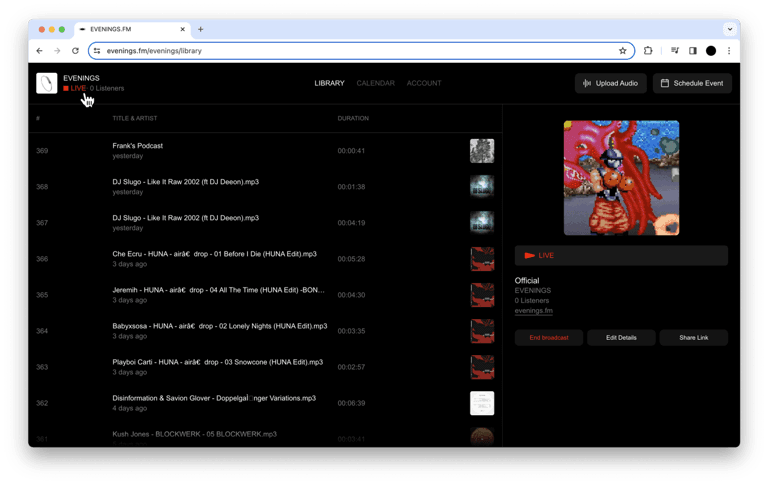
Step 02: Click Edit Details
Click Edit Details under the broadcast details.
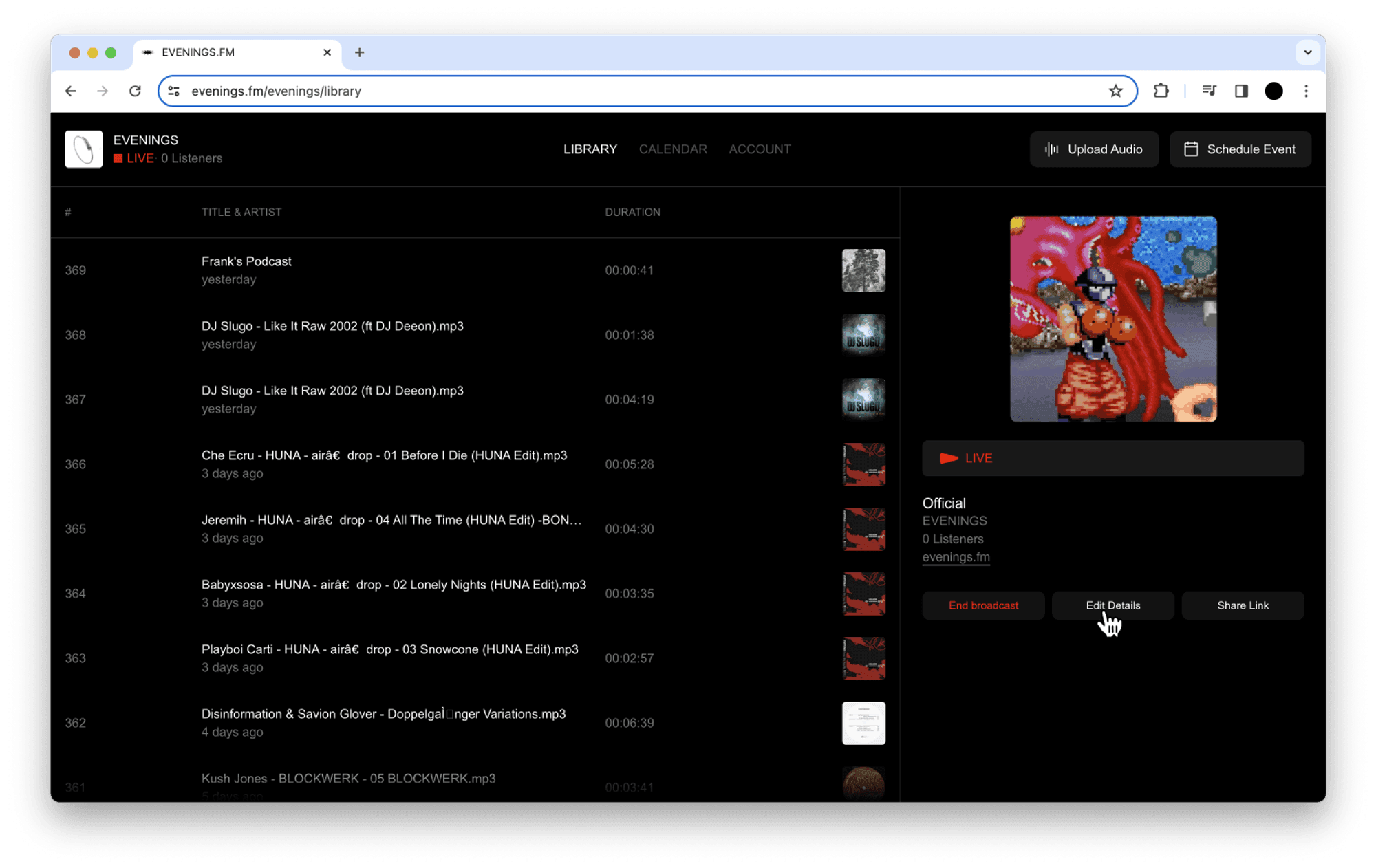
Step 03: Change the title and save
Type the new name in the title field and click Save Changes. The same form also has tags, a link and a description for the broadcast.
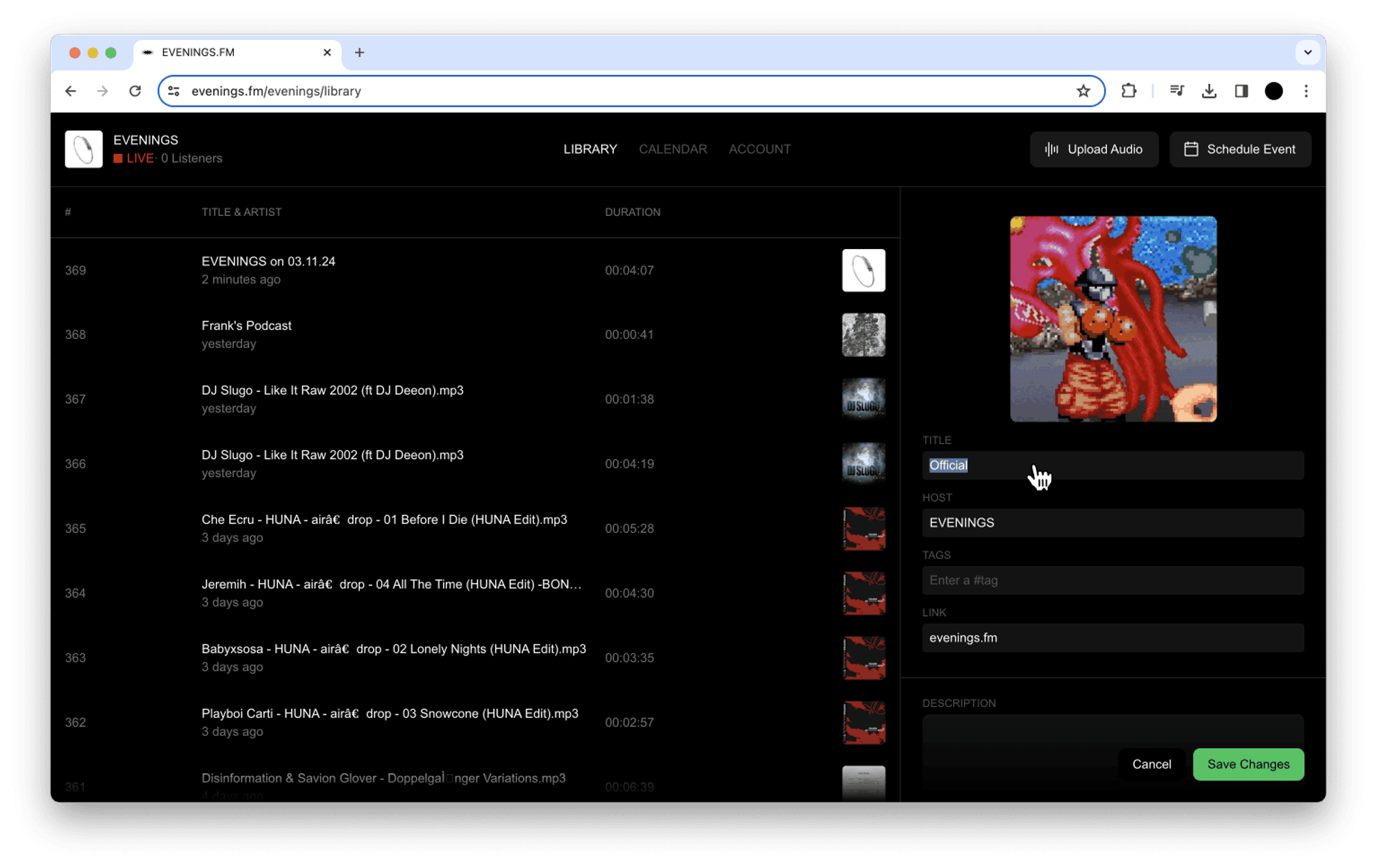
When the new title applies
- Listeners see the new title on your station page and player shortly after you save.
- Later broadcasts keep it until you change it again.
- Your recording takes the title the broadcast had when you went live. Renaming in the middle of a show doesn't rename that show's recording, so set the title before you start. To fix a recording's title afterwards, open it in your Library and use Edit Details there.
- Station subscribers get a text when you go live that includes the title at that moment, which is one more reason to set it first.
During a scheduled show
If you go live during a scheduled live show, listeners see the show's title instead, and clicking the player opens the show's details. To rename it, open the show on your Calendar, click Edit Details, change the title and click Complete.
On a repeating show's later dates, the show's title isn't picked up yet, so rename your broadcast with the steps above before you go live.
Next
With the title set, schedule your next show so its title, cover and recording details are ready ahead of time. If a new title doesn't show up for listeners, email contact@evenings.email with the title you saved and we'll look into it.